
ArrivesBy Blog
How to Add Delivery Estimates to Your Shopify Store with Sidekick (No App, OS 2.0)
A modern, no-app guide to adding delivery estimates on Shopify using Sidekick and Liquid. Learn when this works, where it breaks, and how experienced merchants handle ETAs.
Add Delivery Estimates to Shopify for Free (Using Sidekick)
Shopify’s AI tool, Sidekick, makes theme customization easier (and safer) than it ever has been. You don’t need to manually tweak your theme files, or install any additional apps to get your store to look and feel the way you want. Sidekick can do it for you quickly, safely, and for free (my favorite combination).
If you want to add simple delivery estimates to your store, this is the best way to start. If you’re still deciding whether your store needs delivery estimates at all, that’s a good place to start first.
This approach works best if:
- Your delivery logic is simple (e.g. Order today and it will arrive in 5-7 days)
- You have a small product catalog or all of your products take the same time to deliver.
- You don’t need complex rules, inventory awareness, geolocation, or anything fancy like that.
Step 1: Head to the theme editor
You can use Sidekick anywhere in the Shopify interface but when generating theme code I had trouble getting it to show up in the right place unless I was using the theme editor directly.
Open your default product template (or whichever template you want to show ETAs on).
In the Product information > Details section select Add block and then Generate. The names might not be exactly the same depending on your theme but it should be similar.
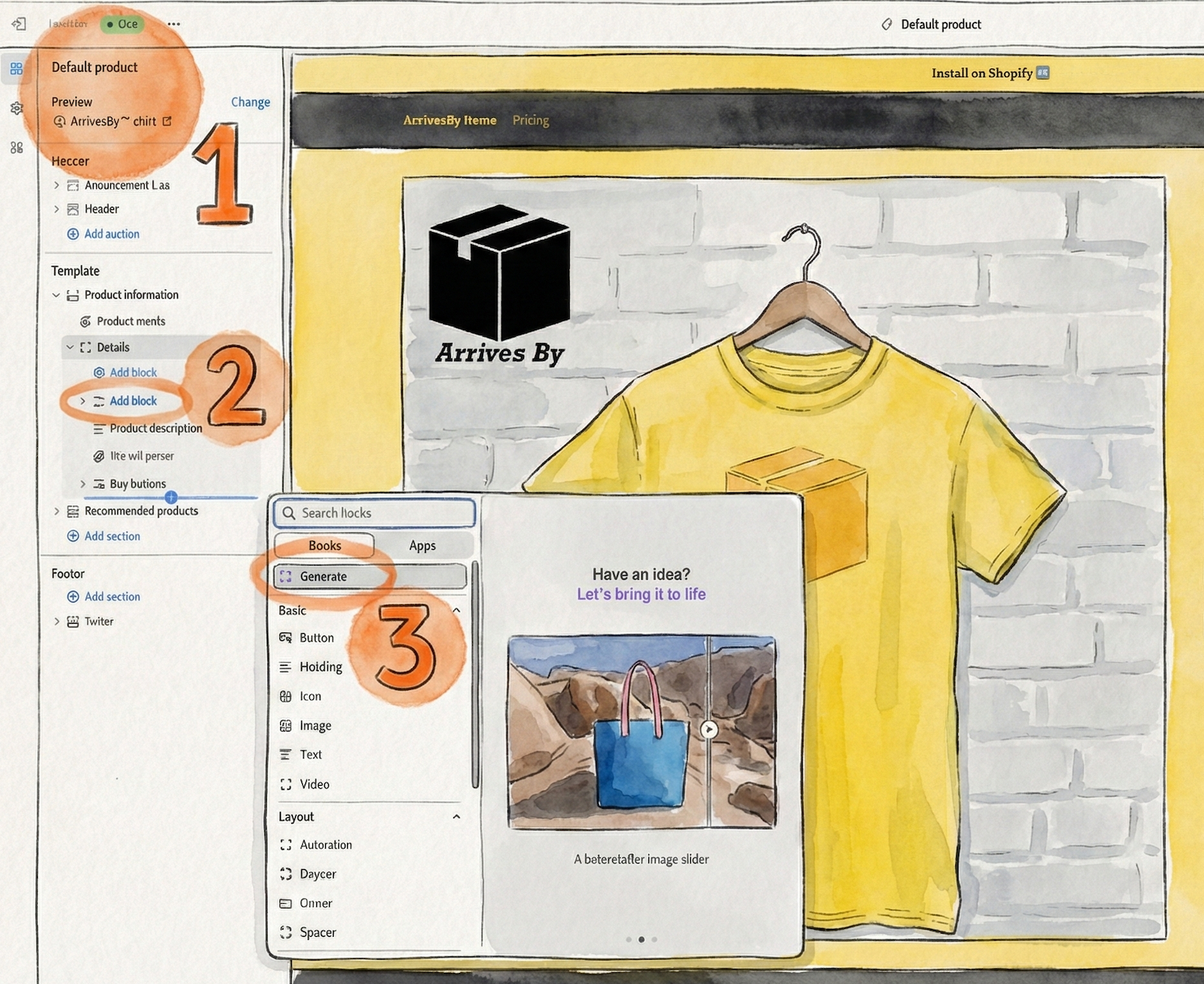 A helpful AI generated image to show you the way.
This makes the ETA clearly visible with all the other product information. You can adjust the exact location later.
Step 2: Use Sidekick to Generate the Block
Here is the exact prompt I used to generate an ETA block, feel free to adjust it as you see fit.
Prompt
Create a Liquid code block for product pages that displays estimated arrival times as a date range 5-7 days in the future from today.
The code should calculate the dates dynamically using Liquid date filters and display them in a user-friendly format like "Estimated arrival: December 17 - December 19".
The styling should be clean and match typical product page information displays.
Sidekick will usually give you a block with plenty of options to customize such as:
- Label text
- Date formats
- Icons
- Color / sizing / spacing.
At this point, you have a working delivery estimate on your product page.
No JavaScript. No external dependencies.
Step 3: Make things just right
Once the block is in place:
- Put it near the price or add to cart button for best results
- Preview on desktop and mobile
- Adjust the text and icon size so that it’s obvious but doesn’t overpower the page.
You should now see something like:
Estimated arrival: Dec 17 – Dec 19
That value updates automatically every day.
Limitations
This is a simple solution that only takes a few minutes to set up and works really well in most cases.
But there are a few limitations to be aware of.
- Weekends are not factored in
- All products show the same delivery time
- Holidays / store closings aren’t factored in
- It shows up for out of stock products
- Shows the same ETA for different markets/countries
Some of these problems could be solved with some clever prompting. For example, you could tell Sidekick that all products from a certain vendor take X days and all others take Y days. Others are a bit trickier and require more complex logic to get right.
Do You Need an App for Delivery Estimates?
The Sidekick approach works well as long as your delivery dates stay simple.
As soon as you need delivery estimates to change based on inventory, location, variants, or timing, theme logic starts to get brittle. You can push Liquid pretty far, but it becomes harder to reason about, easier to break, and harder to keep accurate as your store grows.
This is usually the point where an app makes sense.
If you need:
- Inventory-aware or variant-level delivery dates
- Different timelines by country or region
- Cutoff times, holidays, or blackout dates
- Delivery dates beyond the product page (cart, checkout, order status)
- Visibility into whether your promises are actually being met
Then it’s time to start looking for a delivery estimate app like ArrivesBy.
Conclusion
Sidekick makes it easier than ever to add delivery estimates to your Shopify store.
For simple cases, that’s often enough.
But delivery dates aren’t really a UI problem. They’re a promise.
As soon as your store has multiple products, locations, stock states, or deadlines, that promise becomes operational rather than cosmetic. That’s when hand-written logic starts to crack.
What’s worked best for me:
- Start with the simplest possible solution
- Watch carefully where it breaks
- Only add an app once accuracy actually matters
Clear delivery dates build trust. Accurate delivery dates protect it.